Download & Install Timeminator
Everything you need to self-host Timeminator: system requirements, the latest release, and a step-by-step setup guide.
See Timeminator in Action
A tour of Timeminator Pro — the cockpits, calendar, analytics and billing that teams run their whole workflow on.
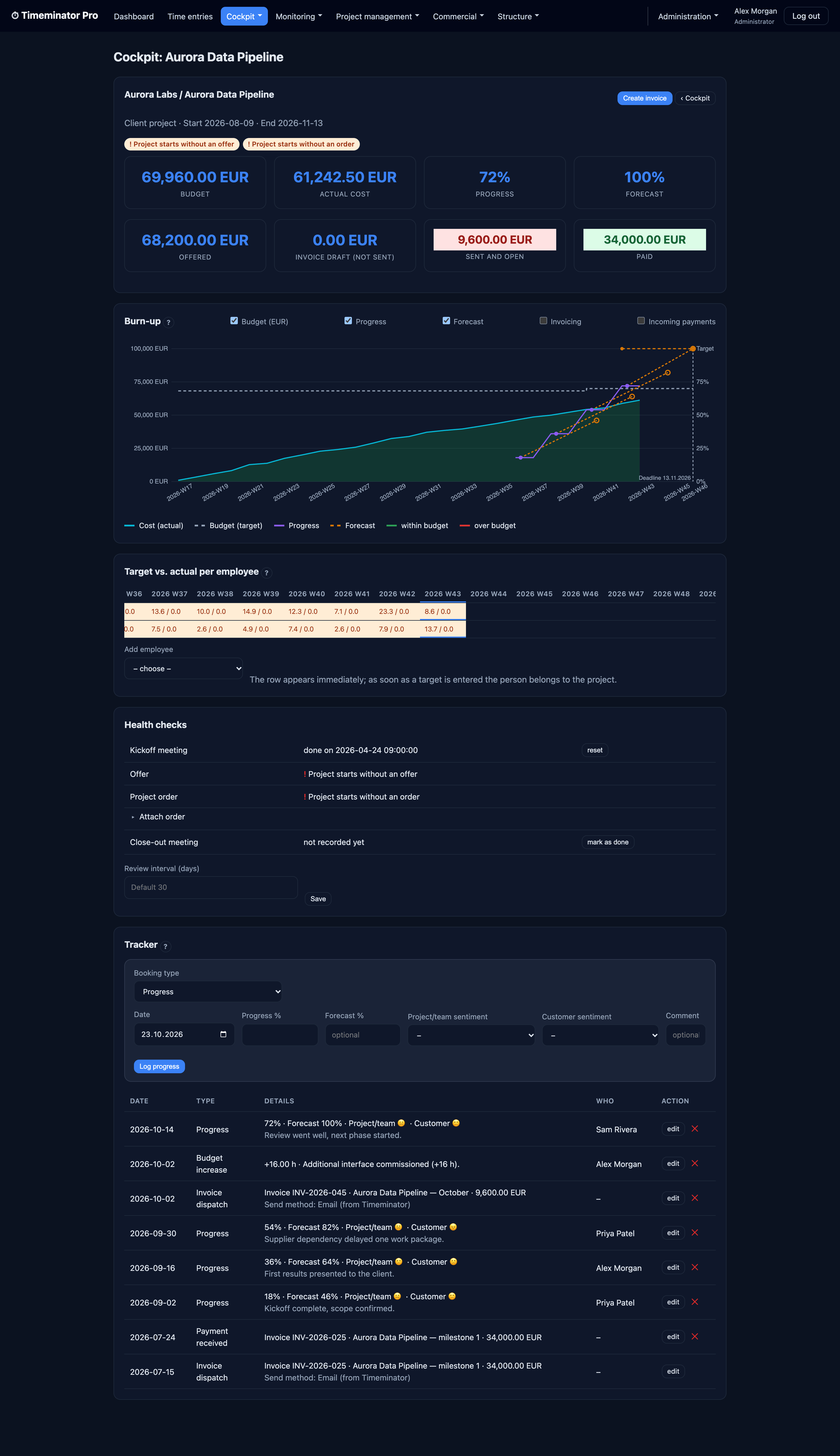
Flagship · Project cockpit
Will this project land on budget?
A burn-up of cost against the budget target with a forecast fan to the deadline, a target-vs-actual matrix per employee, health checks and a full tracker. Timeminator's most powerful view — click any shot to open it full size.
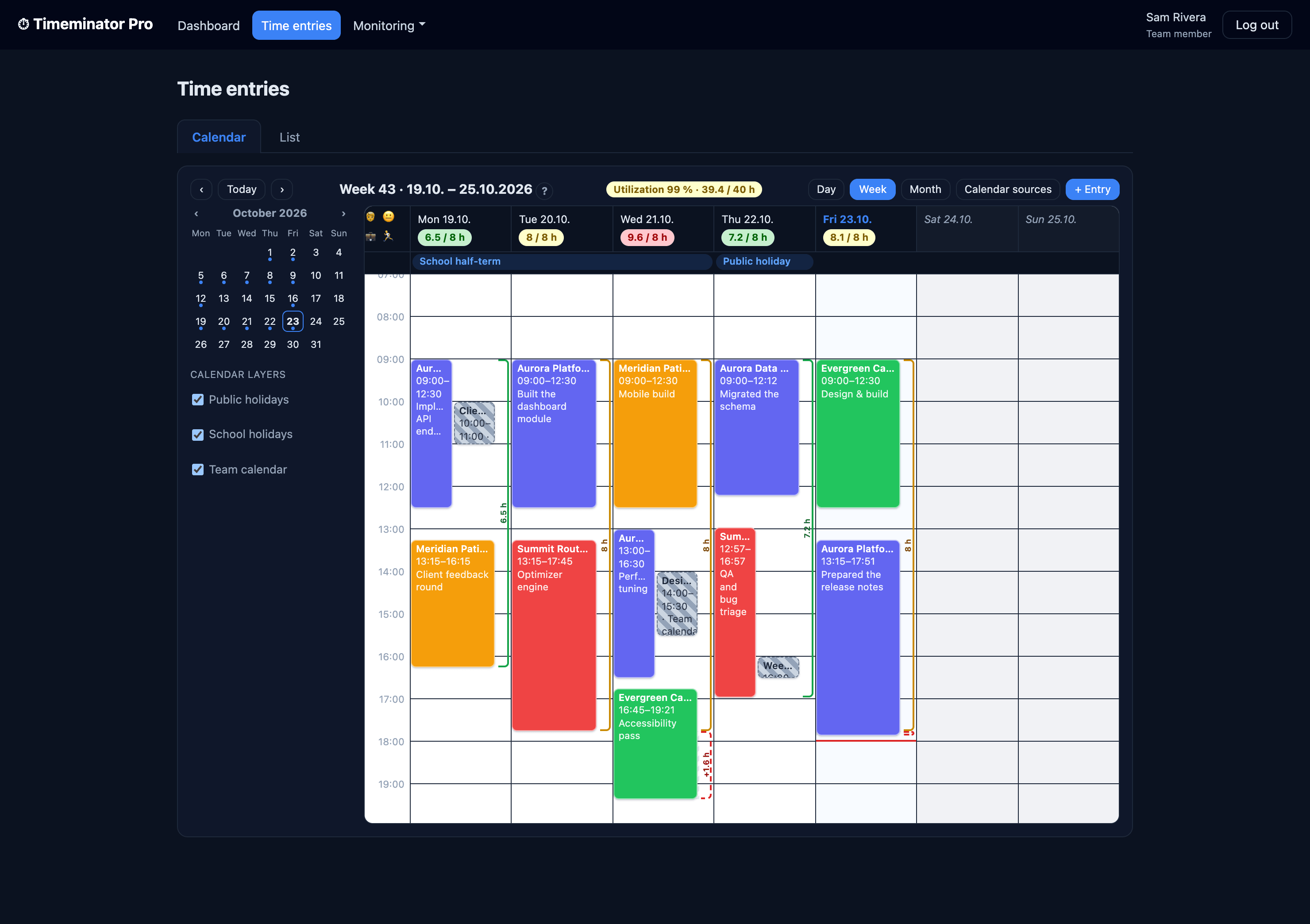
Calendar
Read the week at a glance
A per-day workload barometer (green / amber / red) with daily-target and overtime brackets, multi-day holiday and vacation bands, and colour-coded entries.
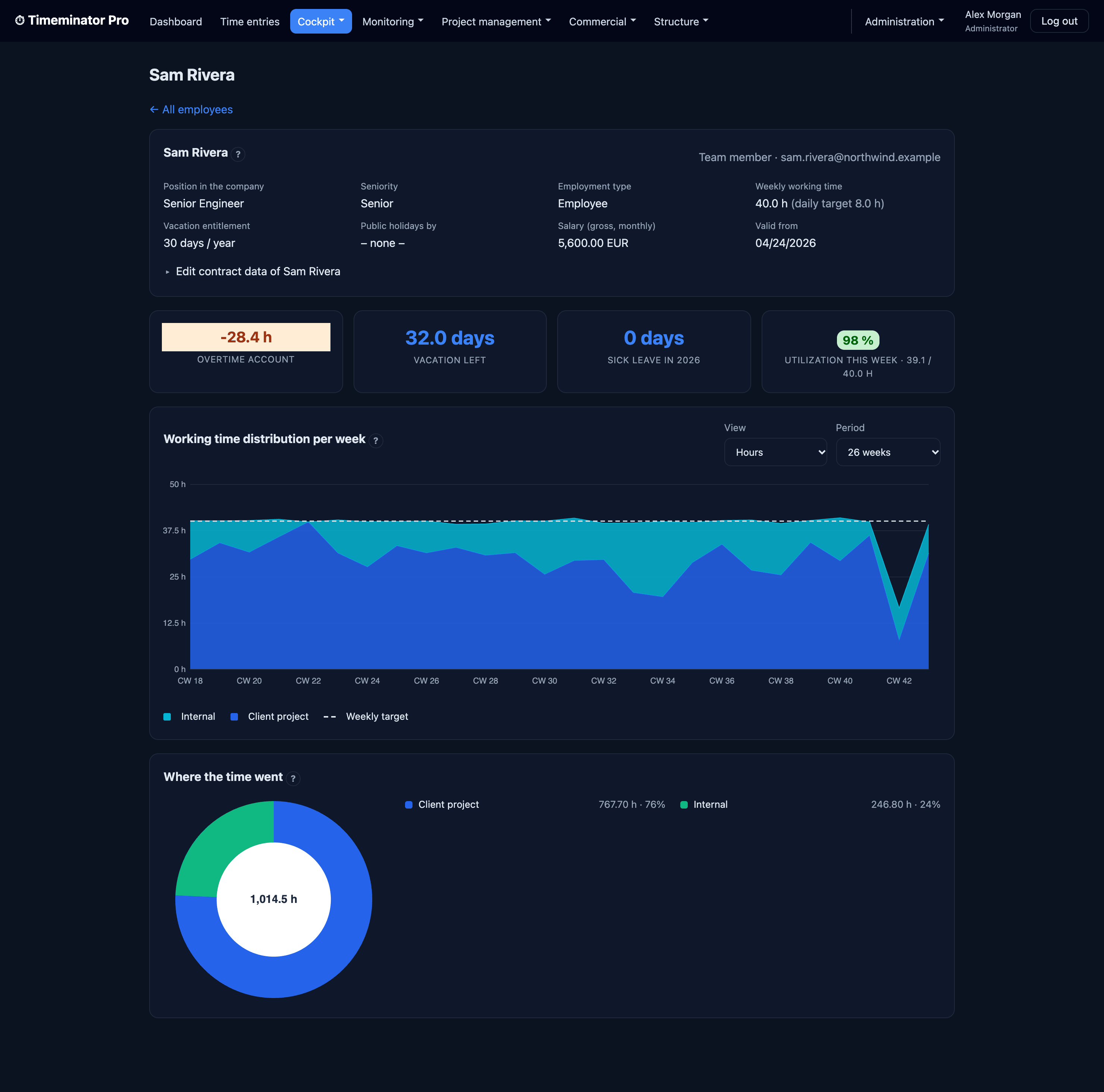
Employee cockpit
Where every week's hours go
A stacked weekly breakdown sitting on each person's target line, with overtime, vacation and utilisation.
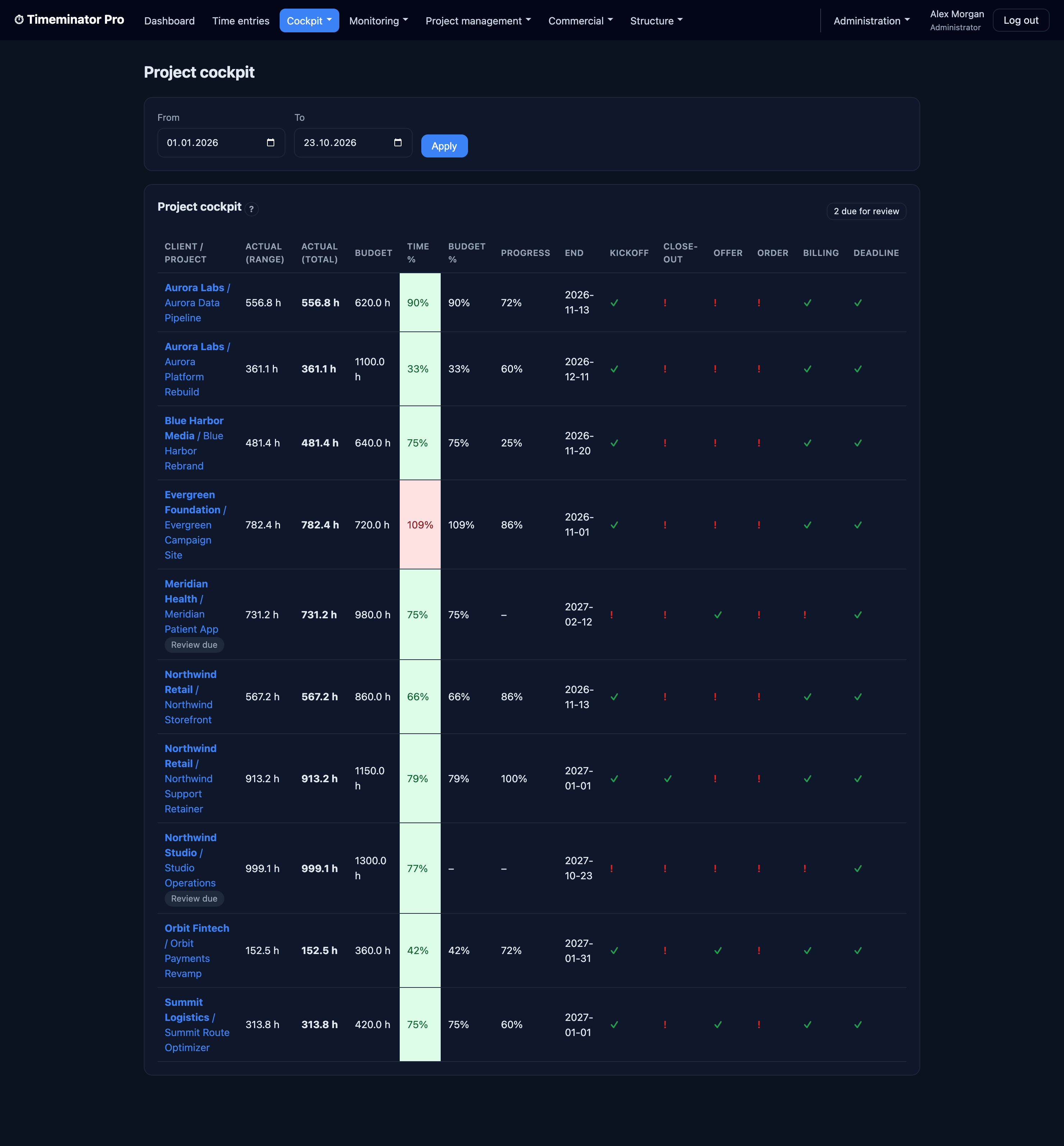
Project portfolio
Every project at a glance
Booked vs budget, progress, deadlines and red/amber/green health flags across all projects on one screen.
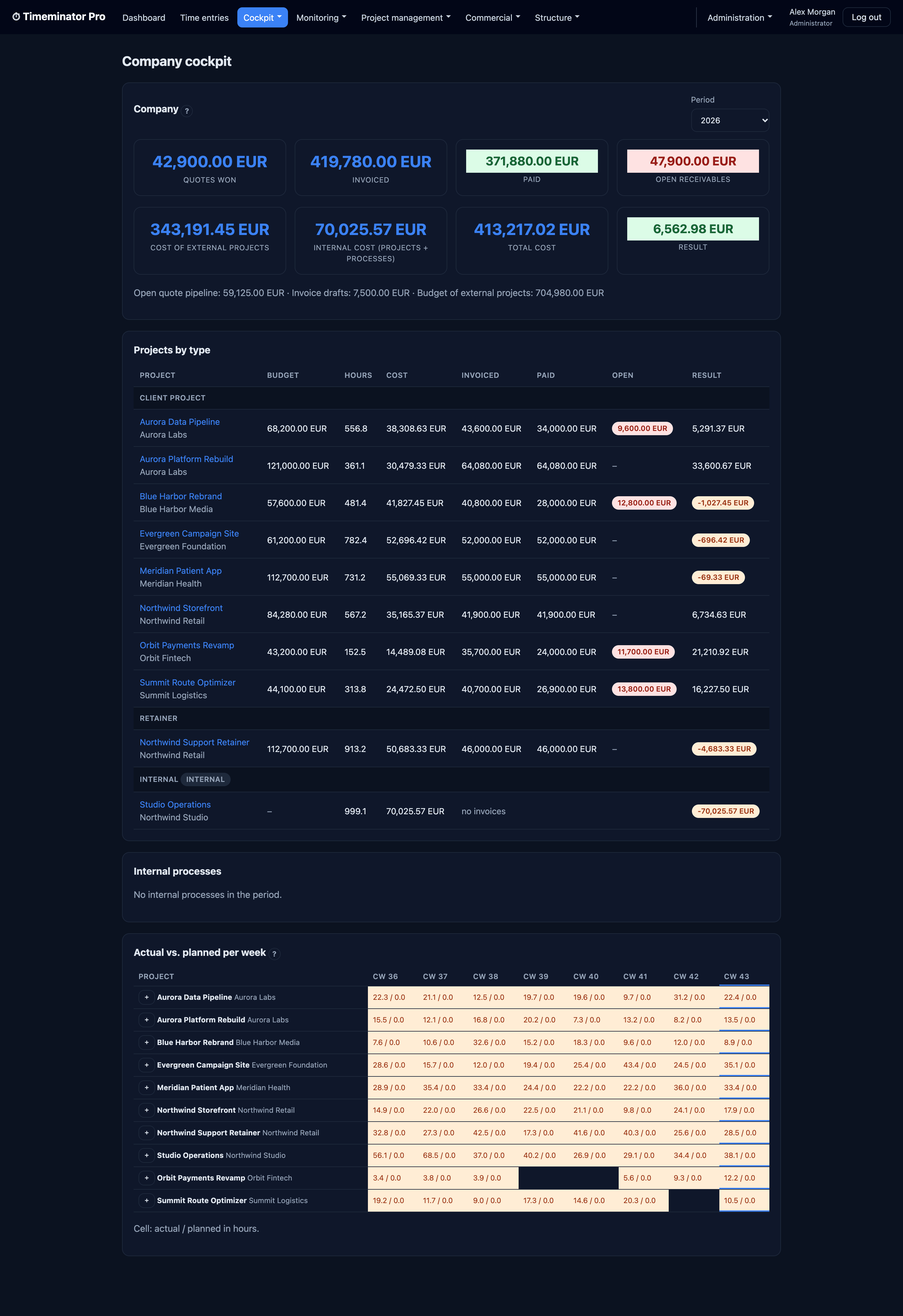
Company cockpit
The whole business on one screen
Quotes, invoiced, paid and outstanding, cost and bottom-line result, plus per-project P&L by week.
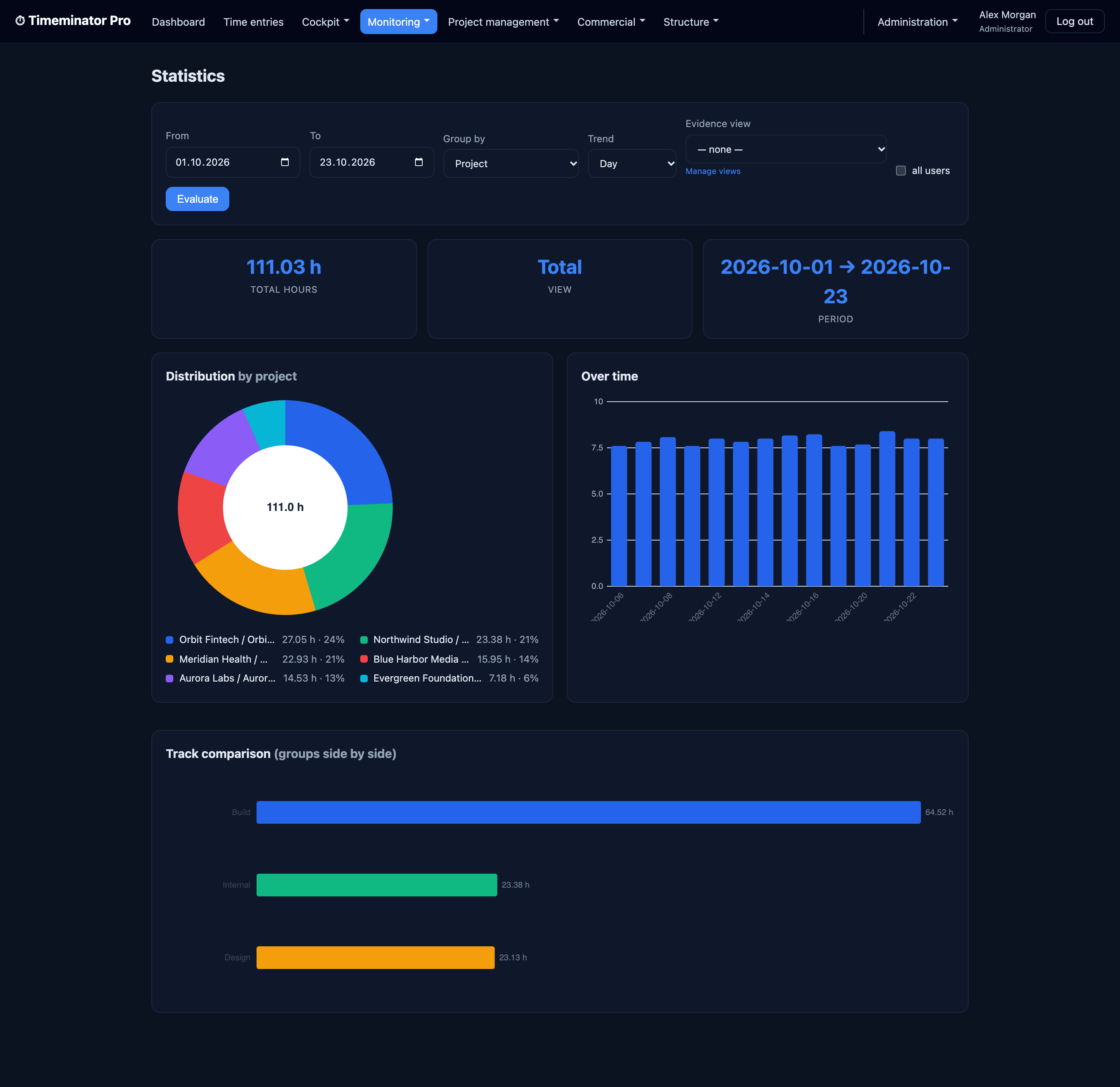
Statistics
Analyze hours any way you need
Hours by project as a donut, a trend over time, and flexible grouping by project, client or track over any range.
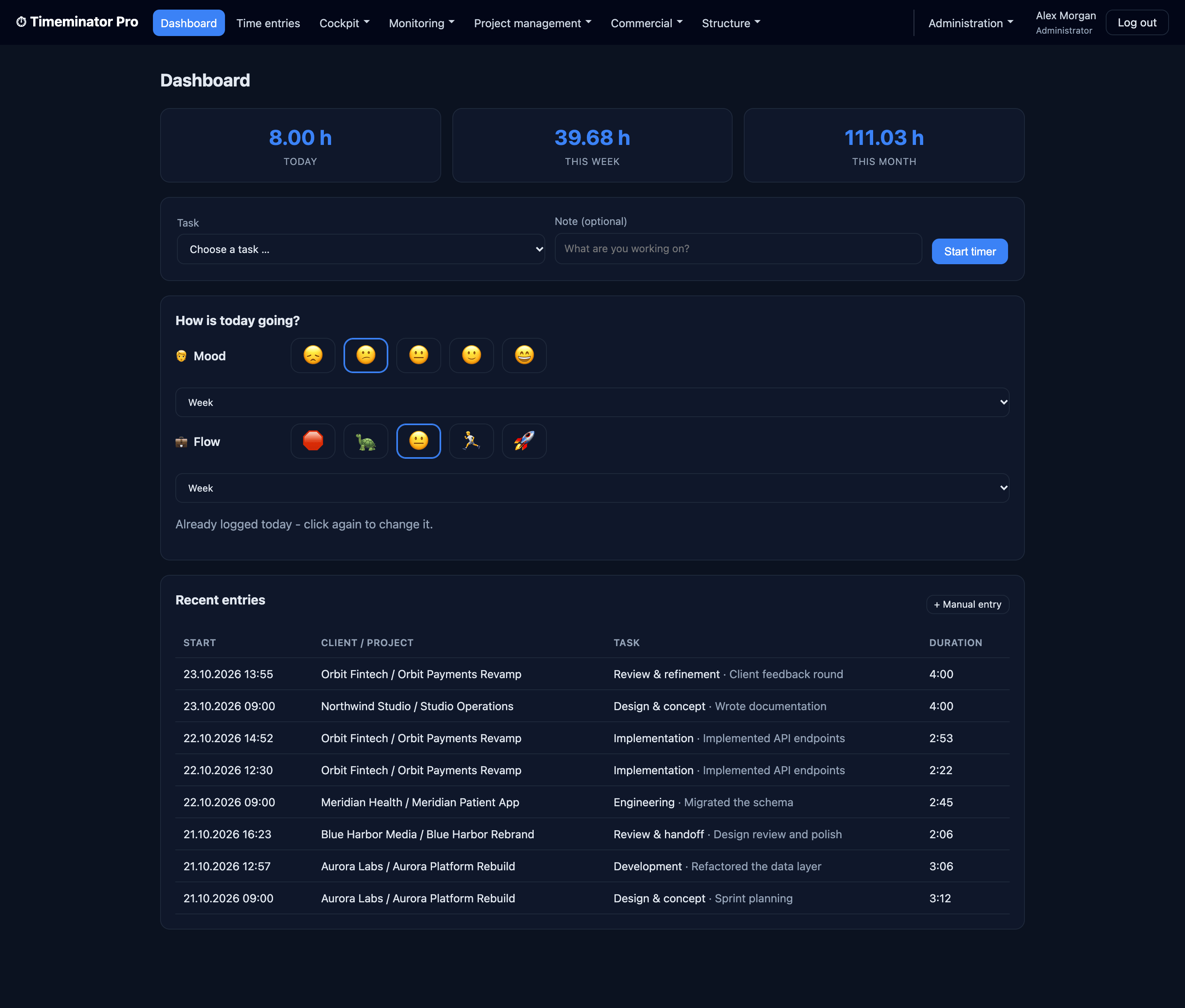
Dashboard
Start the day in one place
A live timer, day / week / month totals, a quick mood & flow check-in and your most recent entries.
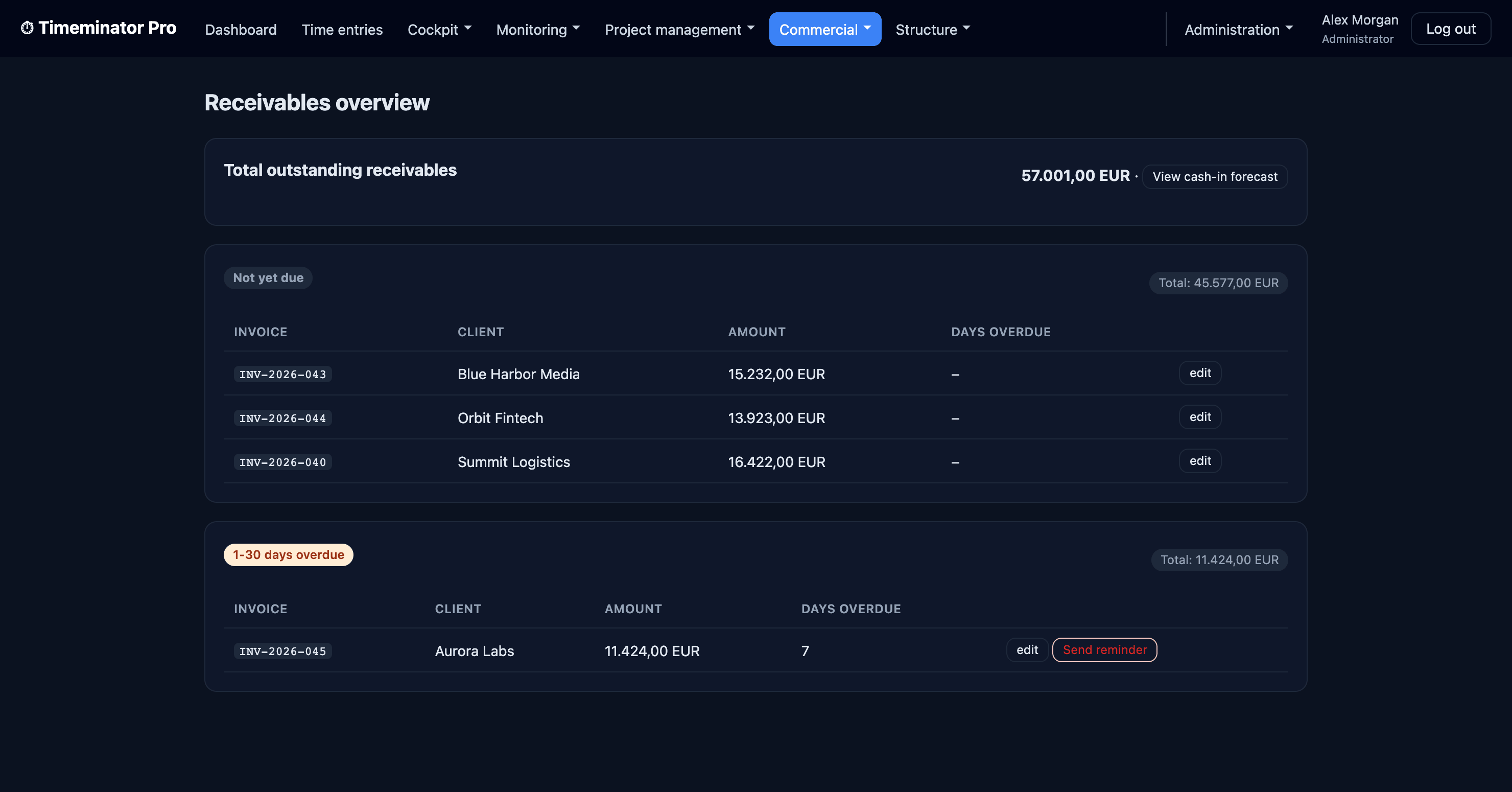
Receivables
Stay on top of what's owed
Outstanding invoices by aging bucket, one-click reminders on overdue items, and a cash-in forecast.
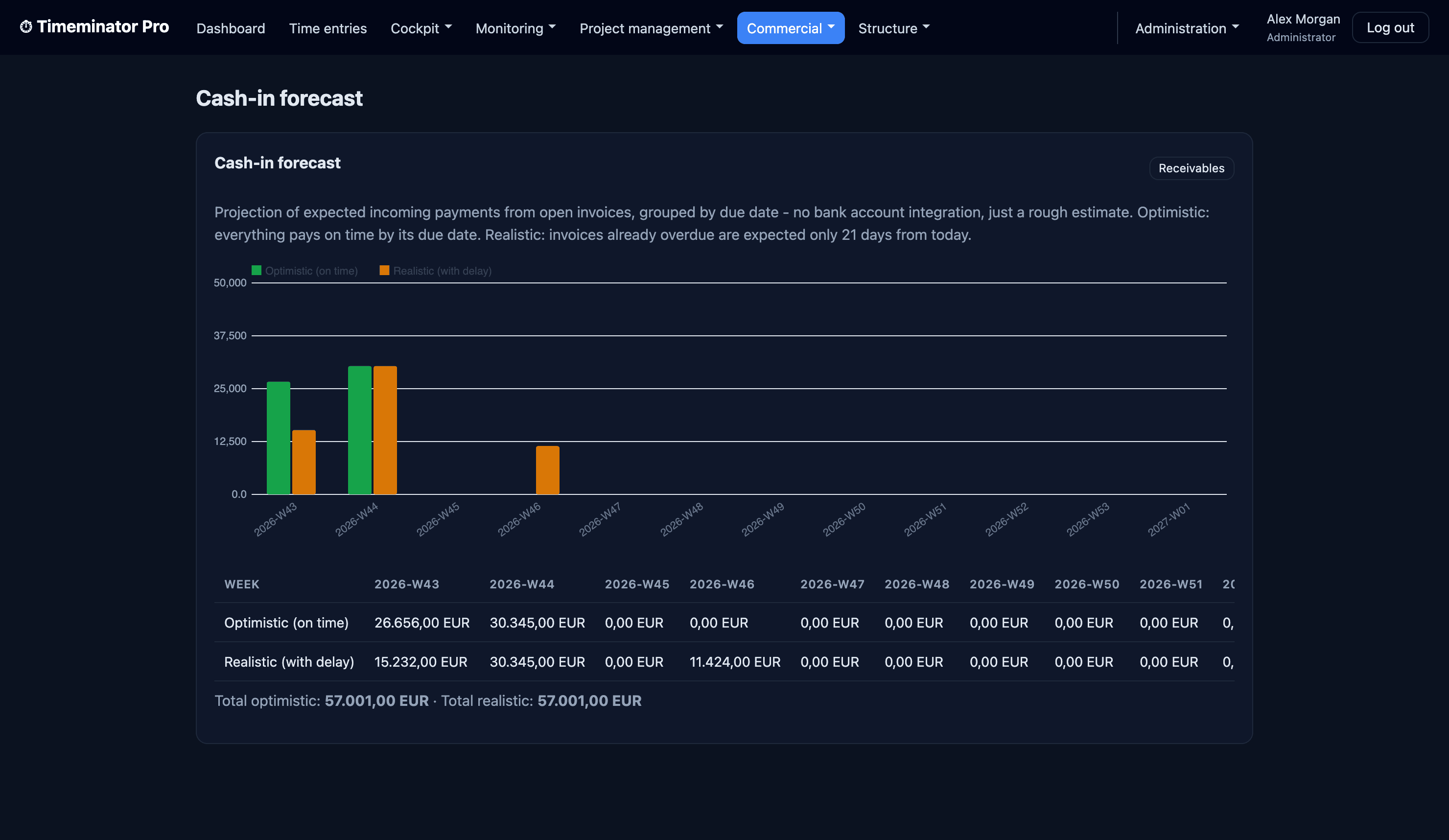
Cash-in forecast
See what's landing, and when
Projected incoming payments by week — optimistic (on-time) vs realistic (with-delay).
Community vs. Pro
Timeminator comes in two editions. Community is free and open source (MIT). Pro adds the planning, billing and integration modules for teams that run their full workflow on it.
Community
The complete time-tracking core: track, structure and analyze time, with users, roles and permissions. Self-hosted on SQLite.
DownloadPro
Everything in Community, plus planning & budgets, project reports, offers, invoices, accounting connectors and a persistent MySQL/MariaDB database.
Try Pro as demo →| Module | Community | Pro |
|---|---|---|
| Time tracking (live timer + manual entries) | ✓ | ✓ |
| Structure (clients, projects, tasks) | ✓ | ✓ |
| Statistics (hours per project & client, time series, 2-group comparison, audit view) | ✓ | ✓ |
| Login, roles & permissions | ✓ | ✓ |
| Import / Export | ✓ | ✓ |
| Web installer, update check, registration | ✓ | ✓ |
| Planning, budget & progress | ✗ | ✓ |
| Project report | ✗ | ✓ |
| Offers / quote calculation (incl. building blocks) | ✗ | ✓ |
| Invoices (number ranges, templates) | ✗ | ✓ |
| Accounting connectors (lexoffice, extensible) | ✗ | ✓ |
| Persistent MySQL/MariaDB database | ✗ | ✓ |
Timeminator Pro Pricing
One-time license per installation, priced by team size — no per-user SaaS fees, no mandatory subscription.
- All Pro modules: planning & budgets, offers, invoices, accounting connectors
- Persistent MySQL/MariaDB database
- Self-hosted — your server, your data
- 12 months of updates included · optional renewal €79/year
Try before you buy — without a license key, Timeminator Pro runs as a free sandbox demo.
Try Pro as a live demo →↓ Download full price list (PDF)
Get a License Key
Tell us a bit about your setup and we'll get back to you with payment details and your license key.
Download
Latest Release
Grab the current stable build as a ready-to-deploy archive from GitHub Releases.
Download ReleaseRequirements
PHP 8.1+, MySQL or SQLite, and a web server (Apache or Nginx). Zero-config out of the box with SQLite.
Source & Docs
Clone the repository, read the wiki, or open an issue if you get stuck.
Open on GitHubInstallation Guide
Download & Extract
Get the latest release from GitHub and extract the archive to your web server.
- Requires PHP 8.1+
- MySQL or SQLite database
- Web server (Apache, Nginx, etc.)
Run Web Installer
Open your browser to the installation URL and follow the guided setup.
- Database configuration
- Admin account creation
- Base URL settings
Configure Projects
Create your projects and define custom time tracking categories.
- Add team members
- Set project budgets
- Define categories
Start Tracking
Your team can immediately start tracking time and logging sentiment data.
- Live timer or manual logs
- Monthly sentiment ratings
- Budget vs. actual reports

Deploy in minutes. Own your data forever.
Grab the latest release, run the web installer, and put your whole team on the clock. No SaaS bills, no lock-in.
View on GitHub